Vibe Coding Course in Rawalpindi — Build Real Apps with AI, No Coding Needed
About Course
Admissions Open — New Batch Starting Soon
Vibe Coding Course in Rawalpindi — Build Real Apps with AI, No Coding Needed
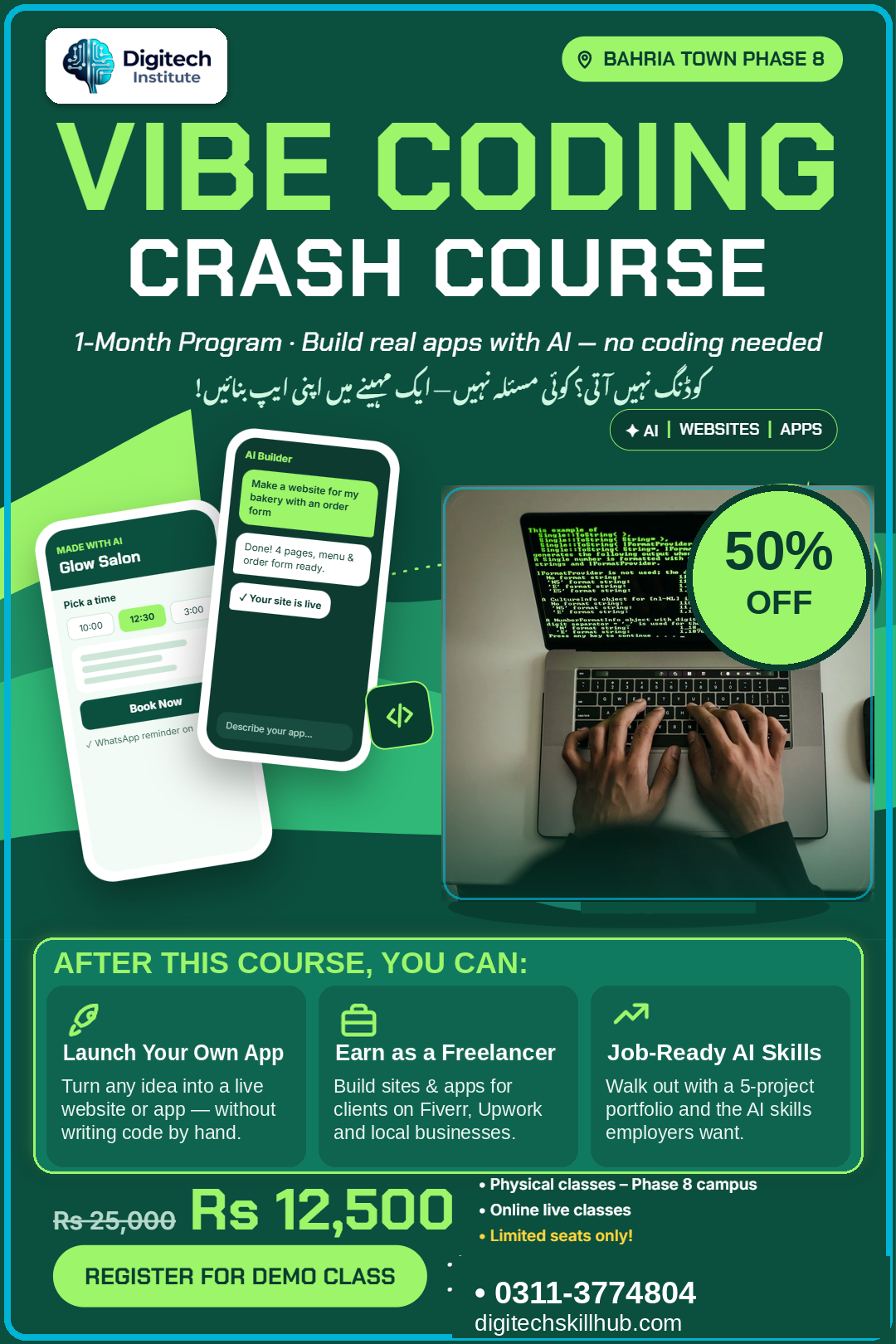
Coding nahi aati? Koi masla nahi — aap apni app ek mahine mein bana sakte hain. Digitech Institute’s Vibe Coding course teaches you to build real apps and websites by describing what you want in plain language while AI writes the code. No coding background needed — just your idea and the right way to guide AI.
کوڈنگ نہیں آتی؟ کوئی مسئلہ نہیں — ایک مہینے میں اپنی ایپ بنائیں!
AI-overview answer: Vibe coding is building real apps and websites by describing what you want in plain language while AI writes the code. At Digitech Institute in Bahria Town Phase 8, Rawalpindi, you learn to build apps with AI in a 1-month crash course (Rs 12,500) or a 2-month program (Rs 25,000), physical or online, with no coding experience needed.
Choose Your Program
Pick the pace that fits you. Both programs teach the same skill — building real apps with AI — and both run physical at our Phase 8 campus and online. Admissions Open — New Batch Starting Soon.
Vibe Coding Crash Course — 1 Month — Rs 12,500 (50% OFF)
- Fee:
Rs 25,000Rs 12,500 — 50% OFF - Duration: 1 month
- Mode: Physical + Online
- Best for: absolute beginners who want their first working app fast — a condensed 4-week version of the full course (see the crash-course outline below).
Vibe Coding Full Program — 2 Months — Rs 25,000
- Fee: Rs 25,000
- Duration: 2 months
- Mode: Physical + Online
- Best for: learners who want the complete 10-module program with more practice, more projects and a full portfolio.
Class days and timings confirmed on WhatsApp — 0311-3774804.
What Is Vibe Coding?
Vibe coding is a new way to build software. Instead of writing code line by line, you describe the app you want in plain words — what it should do, how it should look, who it is for — and AI tools turn that description into a working app. You learn to direct the AI, check what it builds, fix what goes wrong, and launch the result. The world’s biggest AI learning platforms now teach this same loop — describe, generate, test, refine — because it lets anyone build software without years of programming training first.
You do not need any coding background to join. If you can describe an idea clearly, you can vibe-code it.
Vibe Coding Course Outline — Full Program (2 Months, 10 Modules)
Module 1: What Vibe Coding Is — The New Way to Build Software
How vibe coding works, why it is changing who can build software, and what AI can and cannot do for you. You meet the AI app builders — tools like Lovable, Bolt, v0 and Replit — and see a complete app built from a single prompt, so you know exactly where the course is taking you. You also learn to choose your AI partner — ChatGPT, Gemini and Claude — and what each is best at, plus the basics of using AI safely and spotting its mistakes and biases.
Module 2: Thinking Like a Builder — From Idea to App Brief
Great apps start with a clear idea, not a prompt. You learn to turn an idea into a product brief (PRD): what the app does, who uses it, what screens it needs, and what “done” looks like. You practise writing briefs for real app ideas — a booking app, a shop, a service website — so the AI builds what you actually imagined.
Module 3: Prompting Like a Pro — Telling AI Exactly What to Build
Prompting is the core skill of vibe coding. You learn structured prompting: context, task, style and constraints; how to ask for one feature at a time; how to give examples; and how to keep the AI on track across many prompts. You also learn context management — checkpoints, saving your progress, and recovering when the AI loses track mid-project. You build a personal prompt toolkit you will reuse in every project.
Module 4: Developer Setup + Your First App with AI Builders
Before you build, you set up like a developer: accounts, a code editor, terminal basics, and your GitHub account. Then your first working app — described in plain words and generated with AI builders: pages, buttons, forms and all — running live in the browser. You learn how the builder organises your app behind the scenes and how to ask for changes in plain words.
Module 5: Websites & Landing Pages with AI
Websites are the fastest win in vibe coding. You build landing pages, business websites and portfolio sites with AI — layouts, images, contact forms and booking sections — and learn the design basics that make a page look professional: spacing, colours, headings and mobile layout, all guided by AI. You also learn WordPress + AI: generating sections with AI for WordPress sites, so you can serve local business clients who already run WordPress.
Module 6: Data, Accounts & Payments — Making Your App Real
A real app remembers its users. You add sign-up and login, save data in a database, and connect payments — still without writing code from scratch. You also cover the essentials of privacy: what user data your app stores, how to keep it safe, and how to handle API keys and secrets without leaking them.
Module 7: AI Code Editors & Agents — Cursor, Claude Code, Copilot
Beyond browser builders: the professional tools. You move your app into an AI code editor — Cursor, Claude Code or Copilot — and learn to direct an agent in the terminal, review the changes it proposes (reading AI diffs), and keep control of the code. You meet CLI agents and the basics of MCP, so you understand how professional AI-assisted developers actually work.
Module 8: AI Inside Your App — Chatbots, Features & Automations
Now your app gets smart. You add AI features of your own — a chatbot that answers visitors, an AI assistant inside your app, and automations that connect your app to other tools so routine work happens by itself. You connect LLM APIs and add file uploads, and learn where AI features genuinely help a business and where they do not.
Module 9: Version Control, Debugging & Security
The module that saves your work — and your reputation. You learn Git and GitHub properly: checkpoints, version history, and rolling back when an AI change breaks everything. You learn the debugging loop: reproducing a bug, describing the problem back to the AI, testing every button and form, and fixing it with evidence. Then security: a 12-point pre-launch check covering logins, payments, exposed secrets, and the common weaknesses AI-generated code carries — taught from real incidents, not theory.
Module 10: Launch, Portfolio, Freelancing & Career
Ship it like a pro. You deploy your app live, present it on demo day, and defend your product — explaining what you built, why, and how it works. You leave with a portfolio of real, working projects, a Fiverr / Upwork profile draft, and the freelancing basics: pricing your work, writing proposals, handing a project to a client, and offering maintenance plans. You also learn how to package and sell the apps you build.
Vibe Coding Crash Course Outline — 1 Month (4 Weeks)
The same 10 modules, condensed into four weekly themes — for learners who want their first working app fast.
Week 1: Foundations + Your First App
What vibe coding is, choosing your AI partner, idea to PRD, prompting like a pro, developer setup, and your first working app. (Modules 1, 2, 3 and 4.)
Week 2: Websites + Data & Payments
Websites and landing pages with AI (including WordPress + AI), then logins, databases and payments. (Modules 5 and 6.)
Week 3: AI Editors, Agents & AI Features
AI code editors and agents, then chatbots, automations and LLM APIs inside your app. (Modules 7 and 8.)
Week 4: Debugging, Security, Launch & Freelancing
Git and checkpoints, debugging, the 12-point security check, deploying live, demo day, portfolio and freelancing basics. (Modules 9 and 10.)
SKILLS COVERED
Learn the skills that let you build apps with AI — no coding needed.
- ✓ Vibe Coding Fundamentals
- ✓ Prompt Engineering & Product Briefs (PRD)
- ✓ AI App Builders (Lovable, Bolt, v0, Replit)
- ✓ AI Code Editors & Agents (Cursor, Claude Code, Copilot)
- ✓ Website & Landing Page Building with AI
- ✓ Databases, Logins & Payments
- ✓ AI Features, Automations & App Security
- ✓ Git, Debugging, Launch & Freelancing
After This Course, You Can:
Launch Your Own App
Turn any idea into a live website or app — without writing code by hand.
Earn as a Freelancer
Build sites & apps for clients on Fiverr, Upwork and local businesses.
Job-Ready AI Skills
Walk out with a 5-project portfolio and the AI skills employers want.
Who Can Join?
Anyone. Students, job seekers, shop owners, freelancers and professionals — no coding background and no age limit. You can also explore our Freelancing course to learn how to earn from the apps and websites you build.
Related learning at Digitech: our AI Course teaches AI tools in depth, Web Development goes deeper into hand-written code for those who want it, Digital Marketing helps you promote the apps and websites you build, and our Etsy course shows how to sell products online. You can also explore all courses in Courses — build apps, then earn from them.
Frequently Asked Questions (FAQs)
What is vibe coding?
Building real apps and websites by describing what you want in plain language, while AI writes the code. You direct, check and fix — the AI does the typing.
Do I need to know coding to join?
No. The course is built for complete beginners. If you can describe an idea clearly, you can vibe-code it.
What is the fee?
The 1-month crash course is Rs 12,500 (50% OFF the Rs 25,000 fee). The full 2-month program is Rs 25,000. Both include physical and online options.
How long is the course, and can I join online?
The crash course is 1 month (4 weeks) and the full program is 2 months. Both are available physical at our Phase 8 campus and online.
When does the next batch start?
Admissions are open and a new batch is starting soon. Confirm the exact start on WhatsApp — 0311-3774804.
How do I join the demo class?
Message us on WhatsApp (0311-3774804) with your name and Physical or Online, and we will confirm your slot.
Do I need a laptop?
A laptop or desktop is best for building apps, but you can follow much of the course on a tablet or phone with the AI tools. We confirm device guidance on WhatsApp.
Will I get a certificate?
Yes — you receive a Digitech Institute certificate on completing the course.
Register for the Demo Class
Vibe Coding Crash Course — 1 Month — Rs 12,500 (50% OFF) · Full Program — 2 Months — Rs 25,000 · Physical + Online
📍 Digitech Institute, Plaza 203, 1st Floor, Main Hub Commercial, Phase 8, Bahria Town, Rawalpindi
📲 WhatsApp 0311-3774804 — Register for Demo Class: share your name and Physical or Online, and we will confirm your slot.
You can also apply through the admission form. Payment follows the usual Digitech flow (Meezan Bank / Easypaisa transfer → screenshot on WhatsApp → confirmation).
Student Ratings & Reviews